

Home page
The homepage is all about giving you a quick look at what’s going on.
What’s in the home
In addition to the name of the node and a small description you will find a simple calendar that supports the interactions you might expect and a list of current and upcoming events.
Calendar
Today is shown on the calendar circled.
Multi-day events are shown with a range and colored dots are shown based on the number of events scheduled each day (>20 purple, >10 red, >5 orange, >3 yellow, teal otherwise).
Pressing on a specific day will display the events for that day (or multi-day events still in progress that day).
Changing the month or year through the calendar will show the events for the selected month, this way you can use gancio as an archive.
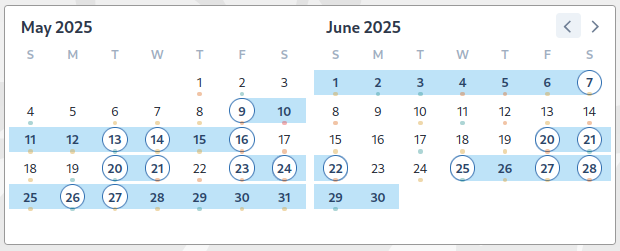
Events
Event’s list is the same for everyone. There’s no personal timeline.
Each card gives you a quick preview of the event, including:
- A flyer or image (if one was added)
- The name of the event
- The date and time
- The location
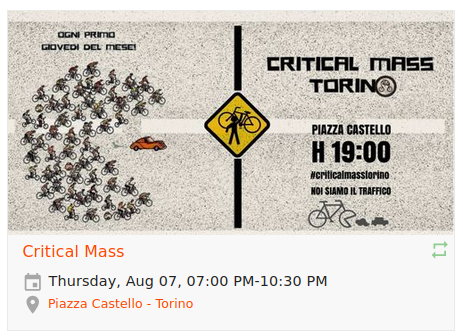
There are also icons that indicate whether the event is recurring and whether it has already passed.
Show recurring events
You can set whether recurring events are displayed by default on the home page from the admin panel. In addition, each visitor can change this setting using the switch at the top of the navigation bar.

Show a subset of events on the homepage
It is possible to create subsets of events (called collections in the administration interface) that can be displayed on the homepage; there is a dedicated section for this.
Is there another way I can stay updated?
Yes, you can subscribe the rss feed of the events, to the iCal feed of the events, or follow the federated activitypub account.